Sinopiaus

/
/

Optimizing Your Medical Practices’ Google Business Profile

Digital Marketing

Optimizing Your Medical Practices’ Google Business Profile
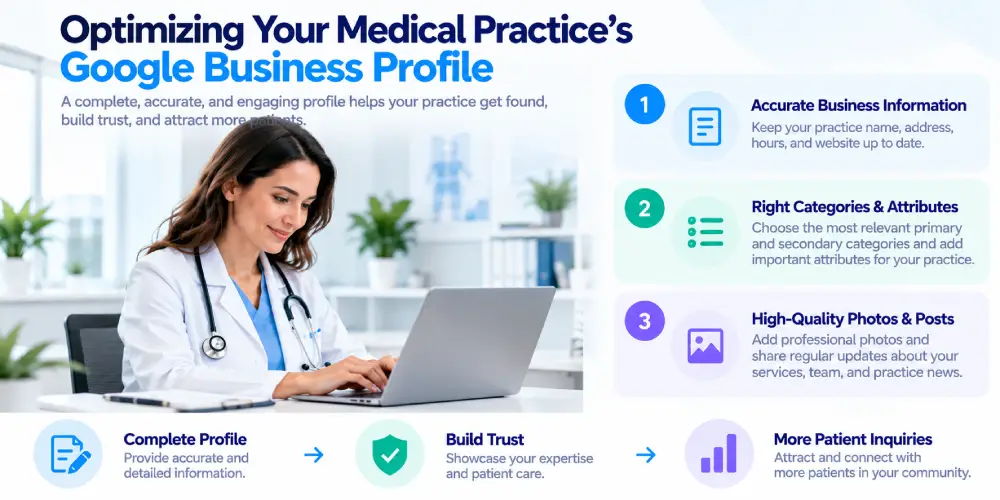
A well-optimized Google Business Profile helps your medical practice appear in local searches and gives potential patients the information they need to choose your practice. Keep your profile accurate, complete, and up to date with your services, hours, location, photos, and patient reviews.
medical-practices
The short answer
Keep your Google Business Profile accurate, complete, active, and trustworthy. Make it easy for patients to find your practice, understand what you offer, and take the next step.
This guide covers Google Business Profile optimization for medical practices specifically, from the fundamentals to the compliance details most guides skip entirely.
When someone searches “urgent care near me” or “pediatrician accepting new patients,” the first thing they see is rarely a website. It’s the local map pack, that block of three business listings with star ratings, hours, and a map, sitting above the organic results. For medical practices, showing up there is often the single biggest driver of new patient calls, and it depends entirely on how well your Google Business Profile is set up and maintained.

Why Google Business Profile Matters So Much for Medical Practices

Healthcare searches are almost always local. Patients aren’t browsing for inspiration, they’re looking for a provider they can visit in person, often within a specific radius and often with real urgency. That makes your Business Profile one of the most valuable digital assets your practice owns: it directly influences whether you appear in the local pack, and it’s often a patient’s first impression of your practice, before they ever reach your website.

Worth knowing up front: this tool used to be called Google My Business. Google renamed it Google Business Profile in November 2021, and its current official Help documentation uses that name exclusively now. If you’re reading older guidance that still says “GMB,” treat it with some caution, the platform itself and Google’s own policies have moved on since then.

Beyond the local pack, your profile increasingly feeds AI-generated answers too. Google’s Grounding with Google Maps capability, which reached general availability in 2026, connects Gemini’s answers directly to Business Profile and Maps data across more than 250 million verified places. Worth being precise about what this means in practice: it’s not a separate optimization task. The same completeness, accuracy, and review quality that wins the local pack is what this grounding mechanism draws from. There’s no distinct “AI version” of your profile to build.

What the Data Shows
Google Business Profile visibility and patient engagement are influenced by factors such as relevance, proximity, reviews, and the completeness of business information. A strong profile can help practices stand out in local search and make prospective patients more confident about contacting or visiting them.

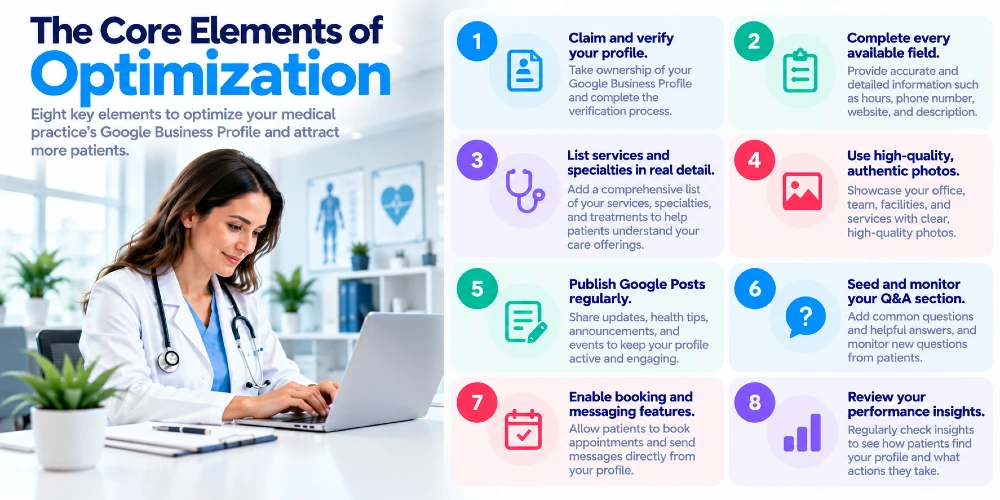
The Core Elements of Optimization

Core Elements
  1. Claim and verify your profile. A surprising number of practices, especially those with multiple physicians or locations, have unclaimed profiles or duplicate listings Google created automatically. For multi-location practices, each address needs its own properly claimed profile, not one listing trying to represent several locations at once.
  2. Complete every available field. Google rewards completeness. Go beyond name and address: accurate hours including holiday exceptions, a direct phone number rather than a call-tracking number that changes periodically, your real website URL, and a description that reads naturally rather than stuffed with keywords. Select the most specific primary category available, “Pediatrician” or “Family Practice Physician” rather than a generic “Medical Clinic,” since an overly broad category genuinely limits visibility for specialty searches.
  3. List services and specialties in real detail. Instead of just “Cardiology,” break it down: arrhythmia management, echocardiograms, preventive heart screenings. This helps Google match your profile to the specific, often less competitive searches patients actually run.
  4. Use high-quality, authentic photos. Real photos of your office, exterior and interior, plus your team and physicians, consistently outperform stock imagery or a sparse gallery. Update them periodically rather than leaving the same handful for years; an actively maintained profile is itself a signal.
  5. Publish Google Posts regularly. Short updates on new services, seasonal reminders like flu shot availability, or practice announcements. The visibility window is short, but consistent posting signals an actively managed profile.
  6. Seed and monitor your Q&A section. Proactively answer common questions (parking, walk-ins accepted) before an inaccurate user-submitted answer does it for you. Anyone can technically post an answer here, so check it regularly.
  7. Enable booking and messaging features. where your scheduling software supports it, reducing the friction of a patient having to leave search results just to find a phone number.
  8. Review your performance insights. regularly, calls, direction requests, website visits, and adjust based on what you find. A profile with high views but few calls usually points to a weak description or thin reviews, not a visibility problem.

How to manage reviews and responses while staying compliant?

Reviews are one of the most influential local pack ranking factors, and for medical practices they’re also a primary trust signal a prospective patient weighs before ever calling. A steady stream of recent, detailed reviews outperforms a handful of old ones, even highly positive ones. Reviews that mention a specific condition treated or a specific physician by name carry more weight than a generic five-star rating, since they reinforce topical relevance in a way a star count alone doesn’t.
Replying to every review, positive and negative, demonstrates an actively engaged practice. But for a medical practice specifically, how you reply carries real legal risk that most Google Business Profile guides never mention.

How to create HIPAA-Compliant Review Responses
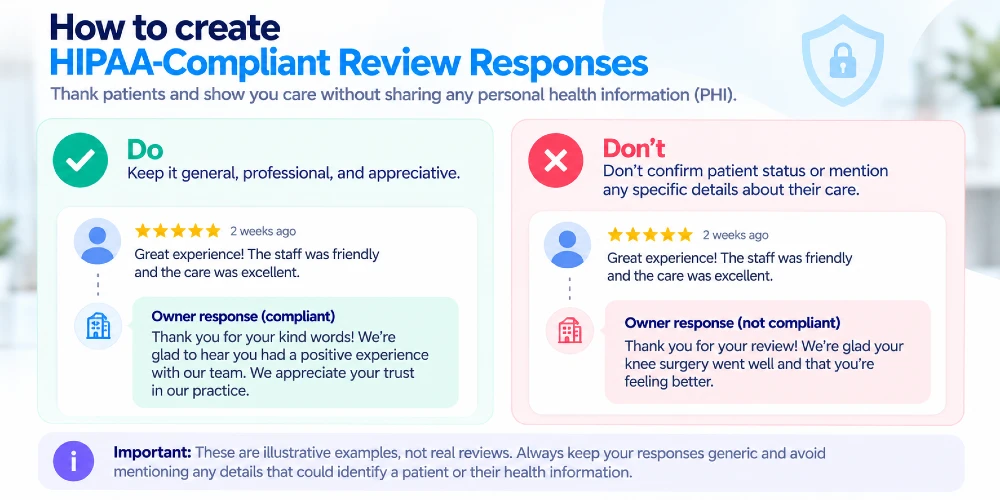
This is worth taking seriously, and it’s more counterintuitive than it sounds. Under HHS’s HIPAA Privacy Rule, a provider cannot disclose protected health information without authorization, and that obligation applies to a public review response just as it does anywhere else. It’s also broader than most people assume: simply confirming that someone is a patient at all, even in an otherwise warm, well-meaning reply to a positive review, can itself be a disclosure, since patient status is itself protected information. And a patient publicly sharing their own experience does not waive the provider’s own obligations in response.

This has produced real, enforced penalties, not hypothetical risk. A dental practice was fined $50,000 by OCR after posting details about a patient interaction in response to a negative online review. Elite Dental Associates paid a $10,000 penalty for a similar disclosure. Manasa Health Center settled with OCR after a staff response to a review revealed a patient’s mental health diagnosis and treatment details.

The practical rule: keep every public reply generic enough to make sense whether the reviewer was ever a patient, thank them for feedback, note that patient privacy prevents discussing specifics, and invite them to reach out directly. Move any real conversation to a private channel, phone or a direct message, never the public review thread. Pre-approved response templates for common scenarios (positive review, negative review, factual dispute) reduce the risk of an improvised response going wrong in the moment.

What to do to Resolve Negative Reviews

Genuine service recovery, understanding what went wrong and fixing it, sometimes leads a patient to update their review on their own. That’s a legitimate outcome of doing right by a patient. What isn’t legitimate, and what Google explicitly prohibits, is asking for it directly.

Google’s own Prohibited and Restricted Content policy bars offering any incentive, payment, discount, or free service in exchange for posting, revising, or removing a review, and separately prohibits discouraging negative reviews or selectively soliciting only positive ones. A practice that asks a patient to “update your review” after resolving a complaint, especially if anything of value is offered in connection with that ask, risks a real Fake Engagement policy violation, not just an ethical gray area.

The right approach: respond professionally and promptly, take the substance of the complaint offline, and actually fix whatever went wrong. If the patient chooses to revise their review afterward, that’s their decision, not a transaction you arranged.

GBP Content Policies You Should Actually Know

Every piece of content on a Business Profile- reviews, photos, posts- is governed by Google’s Prohibited and Restricted Content policies, and violations carry real consequences: Google can restrict a profile from receiving new reviews for a period, unpublish existing reviews, or, in more serious cases, suspend the profile’s ability to be edited entirely. An inactive profile can also lose access over time if it goes unmanaged for long stretches, another reason “set it up once and forget it” is a genuinely risky approach for a medical practice’s most visible local asset.

What do Local Citations do for Traffic Growth?

Beyond your Business Profile itself, your practice’s name, address, and phone number need to match exactly across every directory where you’re listed: Healthgrades, Zocdoc, Vitals, and any specialty-specific directory relevant to your field. Inconsistency confuses both patients and Google’s local ranking systems. Beyond just fixing inconsistencies, actively building citations on relevant, reputable directories your practice isn’t yet listed on is a genuine, ongoing growth lever, not a one-time cleanup task. Audit this periodically, especially after a move, a phone number change, or a rebrand.

Keyword Monitoring and Performance Tracking

Your Business Profile’s built-in Performance section shows how patients found and interacted with your listing: searches, calls, direction requests, website clicks. Pair this with Google Search Console’s data on the queries actually bringing people to your site, including the newer generative AI performance reporting, to see the fuller picture of what’s working across both surfaces. If a particular service consistently drives profile views but not calls, that signals you should revisit how that service is described, not necessarily add more content elsewhere.

How does this support AEO/SEO Efforts?

Everything here- entity consistency, genuine and detailed content, accurate categorization- reinforces the same fundamentals we cover in our guides to answer engine optimization and generative engine optimization. There’s no separate GBP-specific AI trick. A well-maintained profile supports your local pack ranking and your AI visibility through the same signals, not two different strategies running in parallel.

Staying Current as Google's Policies and Features Change
Google's Policies

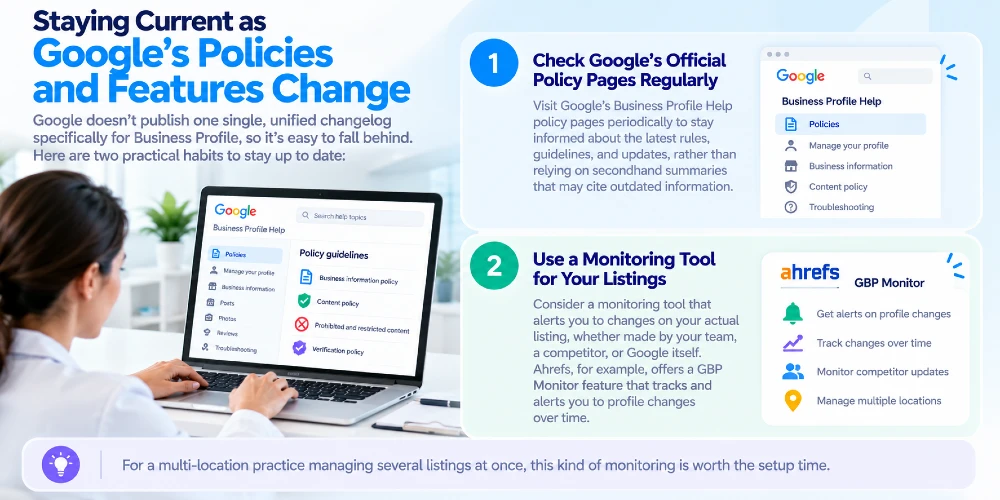
Google doesn’t publish one single, unified changelog specifically for Business Profile the way it does for Search documentation generally. That makes it easy to fall behind. Two practical habits worth building: check Google’s own Business Profile Help policy pages periodically rather than relying on secondhand summaries that may cite outdated rules, and consider a monitoring tool that alerts you to changes on your actual listing, whether made by your team, a competitor, or Google itself. Ahrefs, for example, offers a GBP Monitor feature built specifically to track and alert on profile changes over time. For a multi-location practice managing several listings at once, this kind of monitoring is worth the setup time.

Special Considerations for Multi-Location Practices

Each location needs its own individually optimized profile, with location-specific photos, hours, and a business description that reflects any real differences in services at that site rather than an identical copy-pasted paragraph across every location. Copy-pasted descriptions read as less authentic and provide less unique relevance per listing. Monitor reviews and Q&A separately per location too, since patient experiences genuinely differ between sites.

Common Mistakes That Hurt Local Pack Rankings

  • Treating the profile as a one-time setup rather than an ongoing responsibility.
  • Selecting an inaccurate or overly broad business category.
  • Using a call-tracking number as the primary listed phone number, creating inconsistency with the website.
  • Ignoring negative reviews entirely rather than responding professionally.
  • Responding to reviews in a way that confirms patient status or discloses any health information.
  • Asking patients to change or remove a review, even indirectly.

A Quick Optimization Checklist

  1. Claim and verify your profile, with a separate listing for each location.
  2. Complete every available field, including hours, services, and description .
  3. Select the most accurate and specific primary category available.
  4. Upload high-quality, authentic photos and update them regularly.
  5. Actively request reviews and reply to every one, using HIPAA-safe, generic language.
  6. Never confirm patient status or disclose health information in a public reply.
  7. Resolve negative reviews through genuine service recovery, never by requesting a review change.
  8. Publish regular Google Posts and monitor your Q&A section.
  9. Maintain and actively build consistent citations across relevant directories .
  10. Review Performance insights and Search Console data together on a regular schedule.
  11. Check Google’s official policy pages periodically, or use a monitoring tool for your listings.

Key takeaways

Where to Start

A well-optimized Business Profile is one of the highest-impact, lowest-cost tools available to a medical practice, but it requires consistent attention, not a one-time setup, and it comes with real compliance obligations most guides never mention. Get the fundamentals right, handle reviews the way HIPAA actually requires, and build the habit of checking in on both performance and policy changes regularly.

Want a clear picture of where your practice’s Business Profile actually stands? Our free SEO audit reviews profile completeness, review compliance, and local citation consistency together. No cost, no obligation. Request your free audit.

Our local SEO and reputation management services are built around the fundamentals and the compliance considerations in this guide, and our healthcare SEO team ties your local presence back to your broader search and AI visibility strategy.

Frequently Asked Questions

Q1. How long does it take to see results from GBP optimization?

Many practices see local pack visibility improve within a few weeks of significant changes, though a strong review history and sustained engagement typically take several months to fully build.

Q2. Can I ask a patient to update their review after resolving their complaint?

Directly asking for it, especially if anything is offered in connection with the request, risks violating Google’s Fake Engagement policy. Resolve the complaint genuinely; if the patient chooses to update their review on their own afterward, that’s a legitimate outcome you didn’t arrange.

Q3. Is it ever safe to reply to a negative review that mentions specific treatment details?

Keep your reply generic regardless of what the reviewer disclosed. Thank them for the feedback, note that patient privacy prevents you from discussing specifics publicly, and invite them to contact you directly. Never confirm or elaborate on any clinical detail in the public reply.

Q4. Do I need a separate profile for each practice location?

Yes. Each physical location needs its own individually verified and optimized profile reflecting that location’s specific hours, services, and reviews.

Q5. How do I know if my profile is being used by Google's AI features?

There’s no separate dashboard just for this yet, but Search Console’s generative AI performance reporting, alongside your standard Business Profile Performance insights, gives the closest available picture.

Q6. What's the most damaging mistake practices make with their profile?

Treating it as a one-time setup rather than an ongoing responsibility. Stagnant reviews, outdated photos, and unmonitored Q&A sections consistently underperform actively maintained listings.
About the authors
Himanshu Vashistha is a Senior SEM Specialist, Google Ads Strategist, and Performance Marketing Lead with expertise in scaling ROI for healthcare, D2C, and growth-stage brands. Specializing in high-impact paid media advertising, search engine marketing (SEM), and dayparting strategies, Himanshu leverages AI-powered ad tools, GA4 analytics, and targeted paid campaigns to drive predictable revenue. Writing for Sinopia, he breaks down paid acquisition frameworks, PPC campaign optimization, budget allocation, and the evolving dynamics of paid search to help brands achieve scalable, measurable growth.

Ready to Grow Your Practice?

Schedule a free consultation with our healthcare marketing experts to uncover hidden opportunities for patient growth. No commitment required.