
 Healthcare SEO
  PPC & Google Ads
  Website Design
  Content Marketing
 Reputation Management
 Marketing
How to Make Your Medical Practice’s Website HIPAA Compliant and Accessible to All?


What is Section 1557?
Most accessibility guidance for medical websites leans on the Americans with Disabilities Act broadly. There’s a more specific, healthcare-focused law worth knowing directly: Section 1557 of the Affordable Care Act, the ACA’s civil rights provision. It applies to any health program or activity that receives funding from HHS, which covers essentially any practice that accepts Medicare or Medicaid.
Per HHS’s own guidance, Section 1557 requires covered entities to ensure communications with patients with disabilities are as effective as communications with anyone else, and to provide appropriate auxiliary aids and services where needed. It explicitly names the kinds of communications this covers: consent forms and instructions related to medical procedures, notices of denial or termination of benefits, billing and collections materials, and communications requiring a response from the patient. This isn’t abstract website accessibility. It’s about whether a patient with a disability can actually get through the same intake, consent, and billing process as anyone else.
What is Already in Effect for Healthcare?
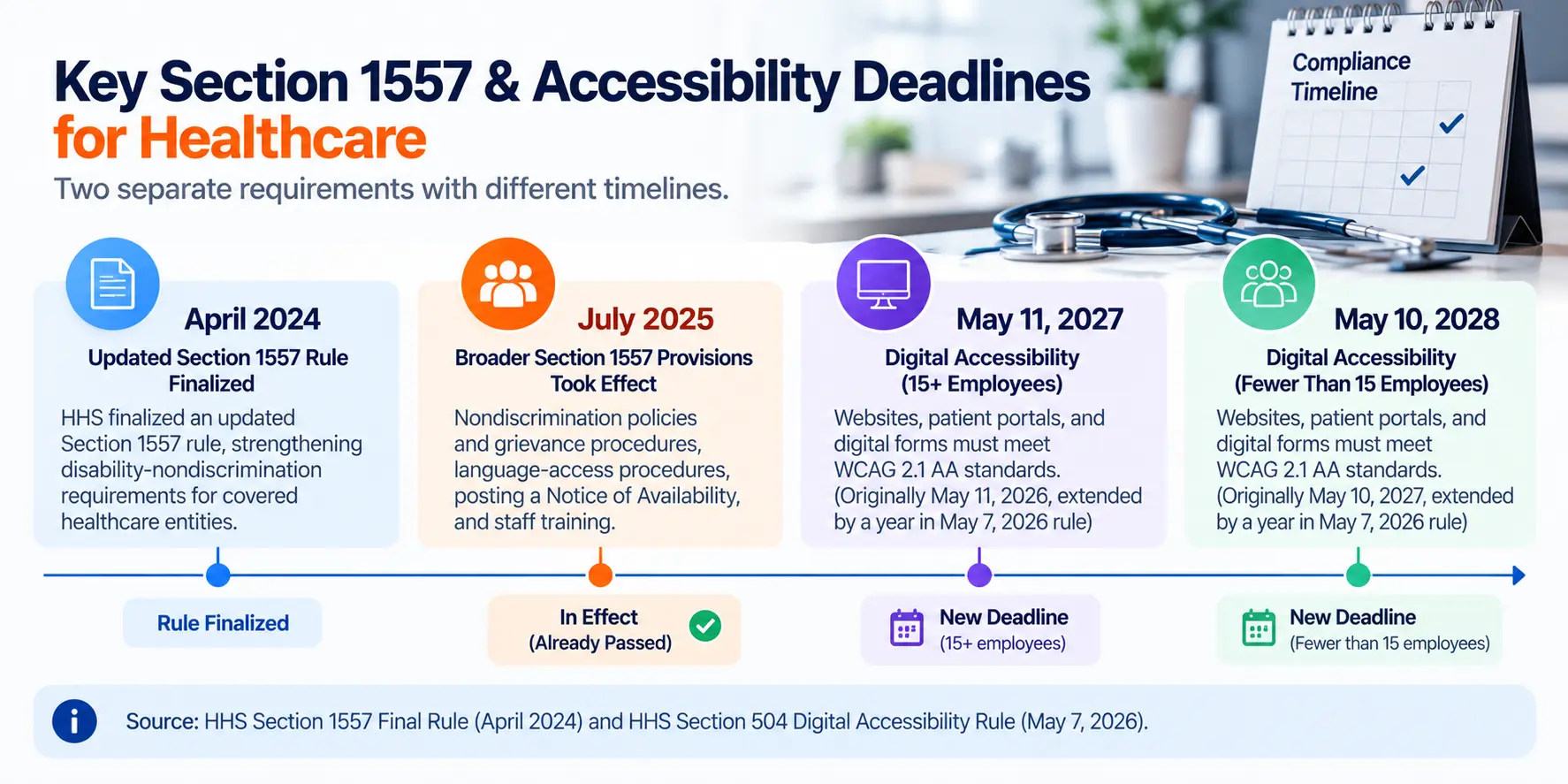
Worth being precise here, since this rule has two distinct deadlines that are frequently conflated. HHS finalized an updated Section 1557 rule in April 2024, strengthening these requirements. The broader disability-nondiscrimination provisions covering nondiscrimination policies and grievance procedures, language-access procedures, posting a Notice of Availability, and staff training took effect in July 2025. The digital accessibility requirements specifically, covering websites, patient portals, and digital forms to WCAG 2.1 AA standards, come from a related but separate HHS rule under Section 504 of the Rehabilitation Act, with its own deadlines: originally May 11, 2026 (organizations with 15+ employees) and May 10, 2027 (fewer than 15). HHS extended both by a year in a May 7, 2026 interim final rule, moving them to May 11, 2027 and May 10, 2028.
Does it apply if you are a Specialist?
Worth naming specifically, since it’s easy to assume a rule framed around “the ACA” applies only to medical practices. Per the American Dental Association’s own guidance, dental practices covered under Section 1557 are required to comply with the same Title II website accessibility standards. If you run a dental practice, this rule almost certainly applies to you too.
How Do You Make Accessibility and Compliance Work Together?
Accessible doesn’t mean less secure. A properly built intake form can use encryption, secure server-side storage, and a BAA-covered vendor, the standards covered in our guide to HIPAA-compliant forms, while also being fully navigable by screen reader, properly labeled for assistive technology, and free of the timeout or CAPTCHA patterns that lock out a patient using adaptive tools. These aren’t competing priorities; a well-built form handles both because good technical implementation serves both goals at once.
Consent language needs to be genuinely understandable, not just present. Section 1557 requires consent forms and medical instructions to be as effective for a patient with a disability as for anyone else. That means plain, clear language available in accessible formats (screen-reader-compatible text, not an image of a scanned document), not just a legally sufficient form that happens to also be technically accessible in the narrowest sense.
Auxiliary aids and alternative formats need a real, working process, not just a policy statement. Large print, accessible electronic text, and a genuine pathway to sign language interpretation where needed for anything conducted by video. A form buried in a PDF that a screen reader can’t parse doesn’t meet this standard even if the practice has a written accessibility policy on file.
Are There Specifics for Telehealth and Patient Portal Design?
Section 1557 names patient portals and telehealth platforms directly, not just the public-facing website. A portal login that relies solely on a visual CAPTCHA, a telehealth interface with no captioning option, or a portal that times out too quickly for a patient using a screen reader are all genuine compliance gaps, distinct from and in addition to the broader website accessibility work covered in our guide to medical website design. The same principle from the forms section applies here: build both requirements in from the start rather than retrofitting either one later.
Key takeaways
- Crawl and document existing URLs, rankings, and traffic before migration.
- Create one-to-one 301 or 308 redirects for valuable old URLs.
- Never redirect every old URL to the homepage.
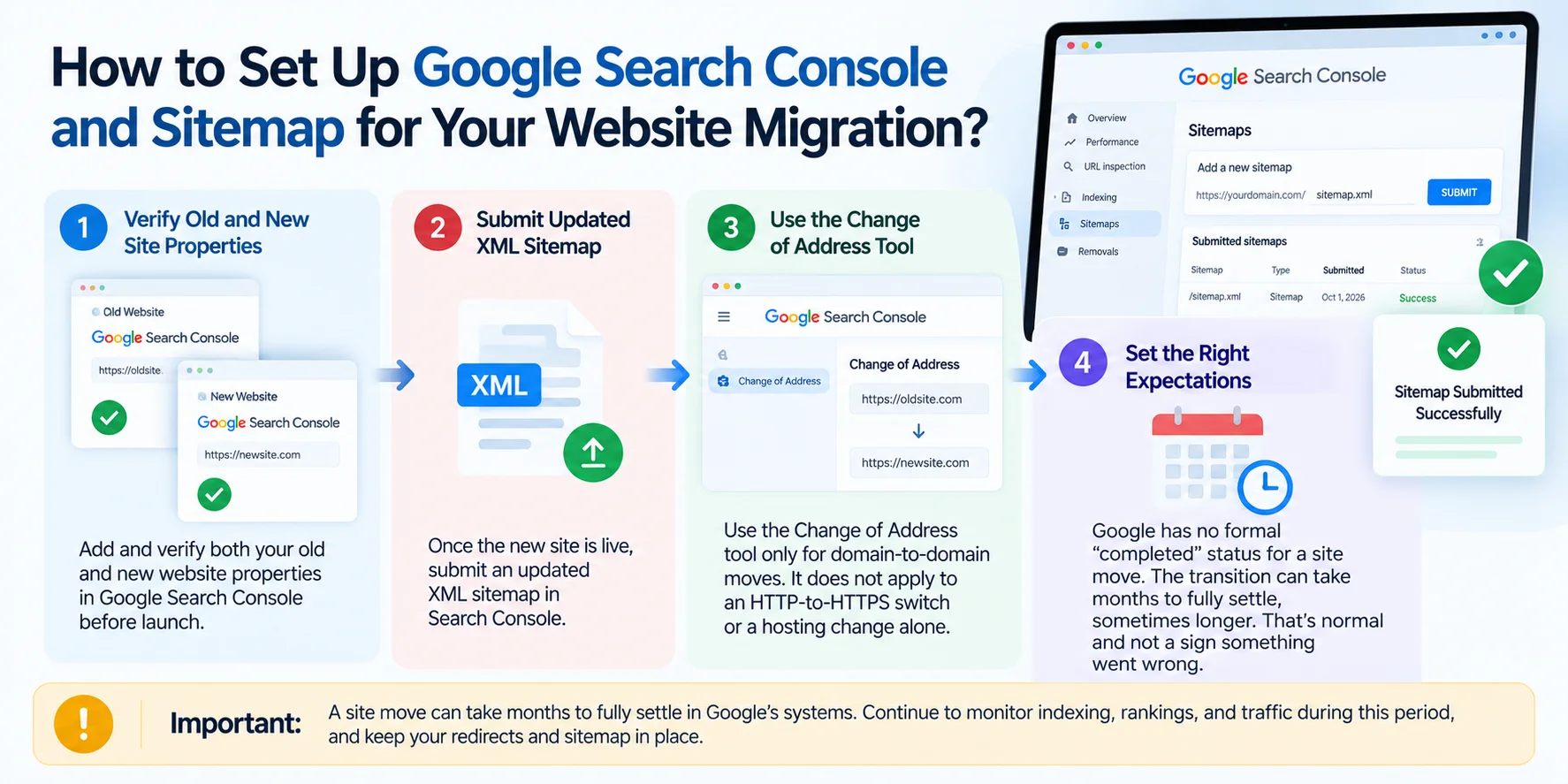
- Verify old and new properties in Google Search Console.
- Submit the new XML sitemap after launch.
- Check every subdomain variant during a domain migration.
- Preserve Physician, MedicalClinic, and LocalBusiness schema.
- Confirm HIPAA-compliant forms and BAA-covered vendors carry over correctly.
- Keep Google Business Profile and NAP information consistent.
The Section 1557 & Accessibility Compliance Checklist
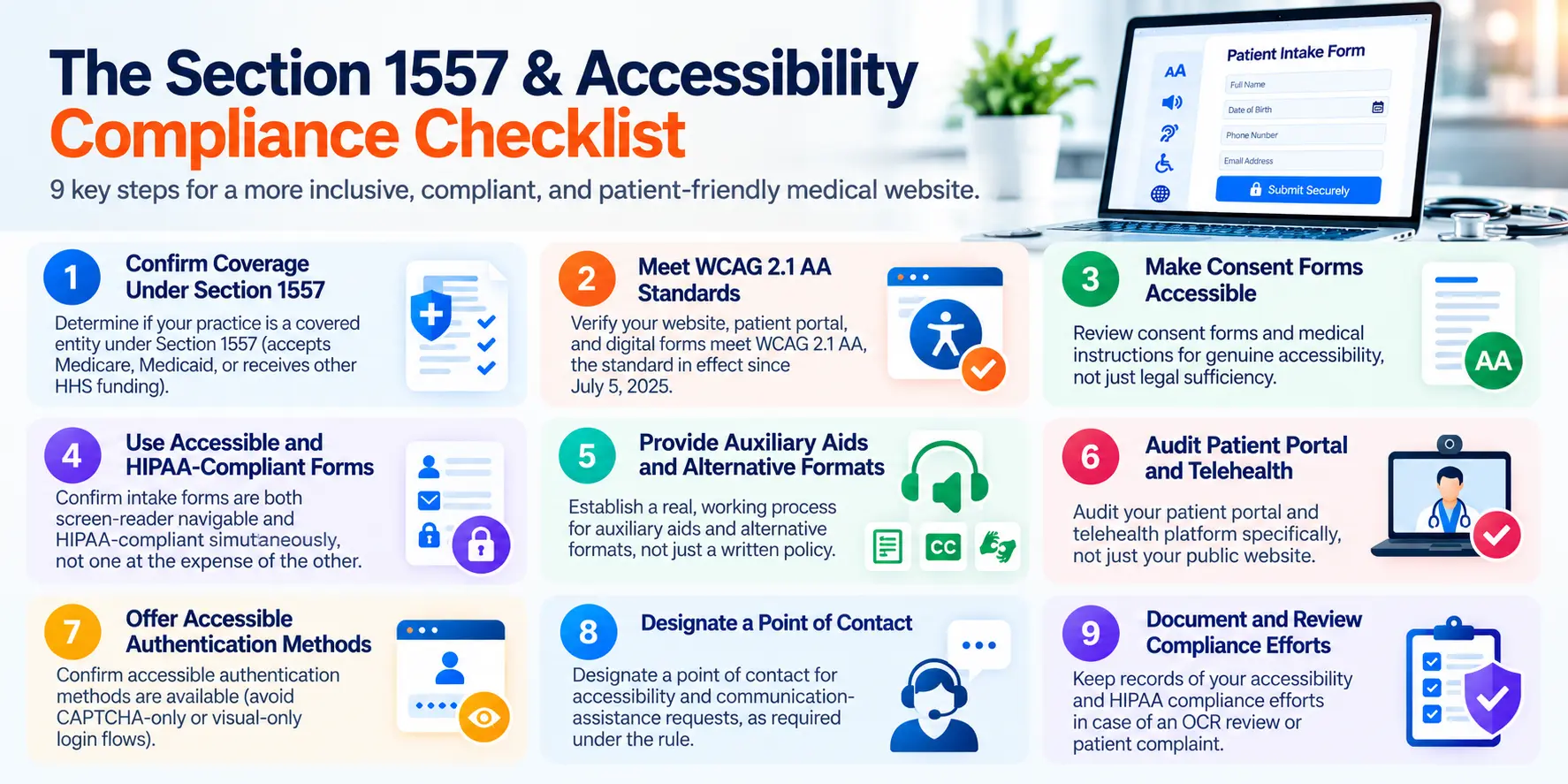
- Confirm whether your practice is a covered entity under Section 1557 (accepts Medicare, Medicaid, or receives other HHS funding)
- Verify your website, patient portal, and digital forms meet WCAG 2.1 AA, the standard in effect since July 5, 2025
- Review consent forms and medical instructions for genuine accessibility, not just legal sufficiency
- Confirm intake forms are both screen-reader navigable and HIPAA-compliant simultaneously, not one at the expense of the other
- Establish a real, working process for auxiliary aids and alternative formats, not just a written policy
- Audit your patient portal and telehealth platform specifically, not just your public website
- Confirm accessible authentication methods are available (avoid CAPTCHA-only or visual-only login flows)
- Designate a point of contact for accessibility and communication-assistance requests, as required under the rule
- Document your compliance efforts in case of an OCR review or patient complaint
Want to know where your practice actually stands on both fronts, accessibility and HIPAA, together? Sinopia’s free SEO audit includes a combined accessibility and HIPAA compliance review, covering your website, forms, and patient portal against the standards in this guide. Request your free audit.
Where to Start
See exactly where your website, forms, and patient portal stand on both fronts. Sinopia’s free SEO audit covers accessibility and HIPAA compliance together, not as separate checklists. No cost, no obligation. Request your free audit.