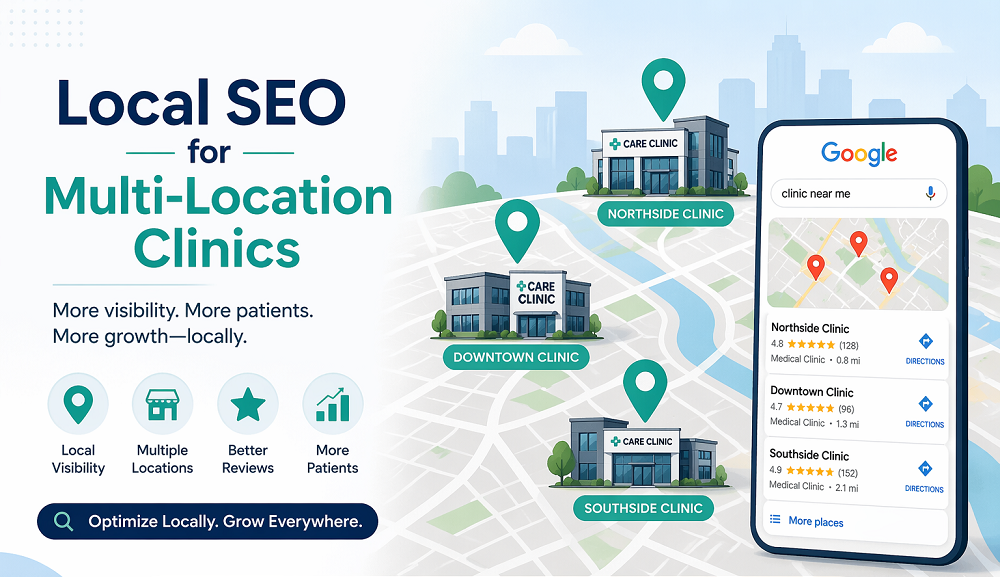
Running a healthcare organization with multiple locations creates an SEO challenge single-location practices never face. Each clinic, urgent care center, or specialty office needs to rank independently in its own city or neighborhood, yet all of them typically live under one shared website and one shared brand. Get the structure wrong, and locations end up competing with each other or blending into a single generic presence that fails to rank anywhere meaningfully. Get it right, and every location can independently win visibility in its own local market.
This guide covers how to structure location pages for multi-location healthcare organizations: page architecture, schema done correctly, and the specific technical trap that quietly suppresses rankings across an entire network.
Why Multi-Location SEO Needs a Different Approach
A single-location practice concentrates all of its SEO effort into one Google Business Profile and one clear geographic identity. A multi-location organization has to replicate that same relevance separately for every site, while still presenting one cohesive, professional brand. That means solving two problems at once: giving each location enough unique, locally relevant signal to rank independently, while avoiding the appearance of duplicate or thin content across pages that look too similar to one another.
What we see in client data
Search engines use relevance, location, and the quality of page content to understand which businesses should appear for local searches. Well-structured location pages with accurate information and genuinely useful local content can improve visibility and help patients find and contact the nearest practice.
Do Dedicated Location Pages Really Outrank a Shared Directory Table?
Many multi-location healthcare sites make the mistake of building a single generic “locations” page listing addresses and hours in a table. That might satisfy a patient who already knows exactly which location they want, but it does almost nothing to help any individual location rank locally.
Search engines evaluate relevance largely at the page level. If a patient searches “urgent care in [specific neighborhood],” Google needs a page that clearly and specifically addresses that neighborhood, not a shared table entry buried in a larger list. This is why dedicated, fully built-out location pages consistently outperform directory-style listings for local visibility.
What are the Core Elements for a Location Page to Rank?
- Why a unique title, URL, and page identity? Each location needs its own title tag and URL clearly identifying that specific site, /locations/downtown-austin rather than a generic parameter-based path. The title itself should combine location and service, “Downtown Austin Urgent Care | Walk-In Clinic,” not a placeholder like “Location 3.”
- How to manage location-specific NAP information? Formatted identically to how it appears on that location’s Google Business Profile and citation listings. Small mismatches between the website and other listings quietly undermine local ranking, the same NAP-consistency principle covered in more depth in our guide to Google Business Profile optimization.
- Does an embedded map and clear directions matter? A visitor coming to your location page is more likely looking for the address and driving directions. This is especially true when the visit originates on a mobile device. So to improve both user experience and local relevance signals, it is important that map as well as directions be clearly embedded and very importantly easy to access.
- Accurate, location-specific hours and services. A network of clinics may share a general service list, but individual sites often differ, different specialists on staff, different equipment, and different hours. Reflecting the real details rather than a copy-pasted generic list improves both patient experience and page uniqueness.
- Should you have staff and physician profiles specific to each location? While this may sound obvious, many practices fail at this. It is very important that each clinic location have links to full bio pages of the staff specific to that location. This reinforces trust and naturally differentiates each location’s content, since staff rosters genuinely vary between sites.
- Genuine, location-specific content. This is where most multi-location sites fall short. Content that reflects something real about that community, nearby neighborhoods served, local health initiatives, notes on parking or accessibility, is difficult for search engines to read as templated, because it demonstrates actual local knowledge rather than a copy-paste pass across the network.
- Reviews tied to that specific location, rather than one pooled set for the whole organization. If your review platform supports location tagging, confirm that data actually flows through to each page correctly.
- A clear, location-specific call to action, a direct phone number, a booking widget filtered to that site, or a contact form pre-routed to the correct location. Every page should make the next step obvious without a patient having to hunt for it.
Implementing Schema Correctly
Structured data matters more here than almost anywhere else, since it gives search engines explicit confirmation of which page corresponds to which physical location. Each location page should carry its own
LocalBusiness or MedicalClinic schema, populated with that site’s specific name, address, phone, hours, and coordinates, never a single shared schema block applied uniformly across every page, which creates conflicting rather than differentiated signals. For organizations with a parent brand and multiple sites, marking individual locations as branches of the larger organization helps search engines understand your overall structure while still recognizing each location as independently relevant.
Worth a precise note here, consistent with what we’ve verified directly against Google’s own documentation in our AEO and GEO guides: adding Physician or FAQ schema to a location page’s staff profiles or common questions is genuinely useful, it makes your entities and content machine-readable, but it is not a confirmed mechanism for improving AI citation or search visibility on its own. Schema helps systems parse who and what is on the page accurately. It is not a documented shortcut to being cited or ranked. Use it because it makes your information legible, not because it guarantees a result.
Does Google Penalize Duplicate Content Across Location Pages?
This is the technical risk that quietly undermines more multi-location networks than anything else on this list, and it’s worth understanding precisely rather than vaguely.
There is technically no “duplicate content penalty.” Per
Google Search Central’s own documentation on canonicalization, when Google finds multiple pages that are too similar to one another, it selects one as the canonical version and simply doesn’t show the others in search results. For a location page, that means a well-built page can still fail to rank, not because it was penalized, but because Google decided a near-identical page elsewhere in your network was the better version to show. The real, checkable symptom of this: log into Search Console’s Pages report and look for the category “Duplicate, Google chose a different canonical than user.” If your location pages show up there, that’s your network actively competing against itself.
The fix isn’t complicated, it’s just easy to skip under deadline pressure. Avoid simply swapping the city name inside an otherwise identical template while leaving every other sentence unchanged. Vary sentence structure, highlight real location-specific detail, and make sure staff listings, reviews, and any unique services genuinely differ page to page. Even a modest amount of authentic, location-specific content meaningfully differentiates pages that would otherwise read as templated. Equally, avoid unnaturally stuffing city names throughout a page to force local relevance, that’s easy for search systems to detect and tends to hurt both rankings and patient trust.
Structuring Your Site Architecture
Organize location pages under a clear, consistent URL structure, a dedicated /locations/ directory with each page nested logically beneath it. Make sure your main navigation surfaces every location page directly rather than burying them several clicks deep. A locations overview page still has real value as a navigational hub, but it should link out to each fully built page rather than trying to replace them. Internal linking between related content, a specific condition page linking to the nearest location offering that treatment, also reinforces both user experience and how search engines understand your site’s structure.
Can One Google Business Profile Represent Multiple Locations?
Location pages and schema work best when they align tightly with a correspondingly well-optimized Google Business Profile for each site, each location separately verified, with information that precisely matches its website page. We cover the full mechanics of profile optimization, including HIPAA-compliant review handling, in our guide to Google Business Profile optimization for medical practices, worth reading alongside this one rather than duplicating that depth here.
One question worth answering directly, since it’s a real point of confusion: can one Business Profile represent two locations? No. Each physical address needs its own individually verified profile. A single listing can’t accurately represent more than one location, and attempting it creates exactly the kind of inconsistent signal that undermines both listings.
A Practical Checklist
- Build a unique, fully developed page for every individual location
- Use distinct, descriptive title tags and URLs per page
- Display accurate, location-specific NAP information consistently
- Embed a location-specific map with clear directions
- List accurate hours, services, and staff specific to that site
- Include genuine, locally relevant content, not templated text
- Feature reviews tied to that specific location where possible
- Implement individual LocalBusiness or MedicalClinic schema per page, never a shared block
- Check Search Console’s “Duplicate, Google chose a different canonical than user” report regularly
- Ensure clear internal linking and easy navigation to every location page
- Keep website information tightly aligned with each location’s Google Business Profile
Common Mistakes in Multi-Location SEO
- Relying on a single generic locations directory instead of dedicated pages per site
- Applying identical schema markup across every location page
- Letting individual pages go stale after a staff, hours, or service change at that specific site
- Underinvesting in genuinely unique content, leaving pages that technically exist but read as templated
- Assuming AI or schema alone will resolve visibility issues that are actually a canonicalization problem
Where to Start
Structuring location pages that genuinely rank takes more than duplicating one template across every site in your network. It takes unique, thoroughly built pages, schema implemented correctly per location, and a real understanding of how Google’s canonicalization actually works, so you can catch a silently underperforming page before it costs you patient volume rather than after.
Ready to see exactly which of your locations are being suppressed by canonicalization, and which just need better content? Our
free SEO audit covers your full location-page network, architecture, schema, and Search Console diagnostics together. No cost, no obligation.
Request your free audit.
Our
local SEO and
technical SEO teams handle exactly this kind of multi-location architecture work, and our
healthcare SEO service ties your full network’s visibility together, from individual location pages to your overall search and AI presence.
Frequently asked questions
Q1. How many location pages should a multi-location healthcare website have?
One dedicated page per physical location, regardless of how many locations the organization operates. Each page needs to independently establish local relevance.
Q2. Is a single shared locations directory page enough?
No. A directory-style overview page is a useful navigational hub, but it should link to individually optimized pages per location rather than replacing them.
Q3. Does having similar content across location pages actually hurt rankings?
Not as a penalty, but functionally, yes. Google will select one page among near-duplicates as canonical and stop showing the others, which is functionally the same outcome as a ranking loss for every page that isn’t chosen. Check Search Console’s duplicate-canonical report to see if this is already happening on your site.
Q4. Should every location page have its own schema markup?
Yes, individual LocalBusiness or MedicalClinic schema per page, populated with that site’s specific information, never one shared block reused across pages.
Q5. Can I represent two locations with a single Google Business Profile?
No. Each physical location needs its own separately verified profile.
Q6. Does multi-location schema guarantee better visibility in AI search tools?
No, and be cautious of anyone claiming it does. Schema makes your location and entity information machine-readable, which is genuinely useful, but it’s not a documented mechanism for improving AI citation on its own. The same accurate, well-sourced, locally specific content that helps you rank is what actually earns citation, schema just helps systems parse it correctly.
About the Author
Rahul Sharma is a Digital Marketing Specialist and growth strategist focusing on search engine optimization (SEO), generative engine optimization (GEO), and performance marketing. With expertise in organic search, AI search paradigms (AEO), and automated marketing workflows, Rahul writes for Sinopia on building scalable brands and adapting to modern search discovery patterns. His work bridges technical search foundations, user intent, and practical AI applications to help brands establish long-term visibility, trust, and measurable digital growth.