
 Healthcare SEO
  PPC & Google Ads
  Website Design
  Content Marketing
 Reputation Management
 Marketing
How Do You Redesign a Practice Website Without Losing Rankings?

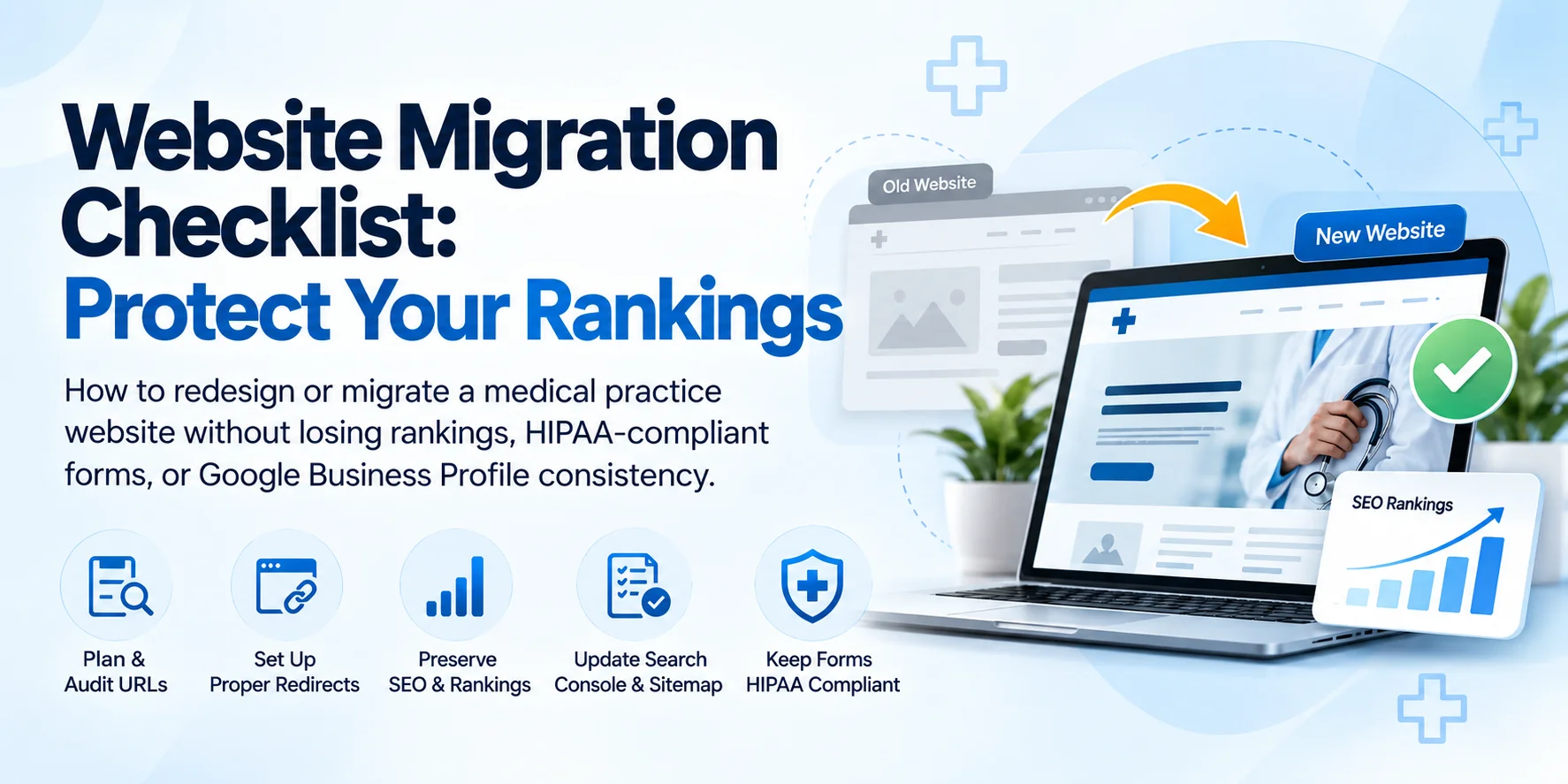
A website redesign or migration is one of the few technical SEO, AEO, and GEO projects that can undo years of built-up visibility in a matter of days if it’s handled carelessly. This blog provides a working checklist based on best practices and Google guidance. Using this checklist will help you avoid those redirect getting missed, schema markup silently disappearing in a platform switch, and loosing rankings that took years to build. This checklist the compliance layer most relevant for medical websites that generic migration guides never mention
What Counts as a Website Migration?
Per Google’s own documentation, a site move falls into one of two categories, and which one you’re doing determines most of the work ahead. A move with URL changes includes a domain change, a restructured URL path, or a full platform switch, anywhere the actual web addresses change. A move without URL changes is a visual or structural redesign that keeps the same URLs in place. Most generic checklists treat every redesign the same way; they’re not the same project, and conflating them is where a lot of avoidable mistakes start.
What to Do Before You Start Your Website Migration?
How Do I Know If The Redirect Map Is Done Right?
Use permanent, server-side redirects, 301 or 308 status codes, per Google’s own Redirects documentation. Avoid meta-refresh tags or JavaScript-based redirects entirely; Google’s documentation explicitly notes these aren’t reliably recognized as genuine redirects and shouldn’t be relied on unless there’s truly no other option.
The June 2026 Update Most Checklists Haven't Caught Up To
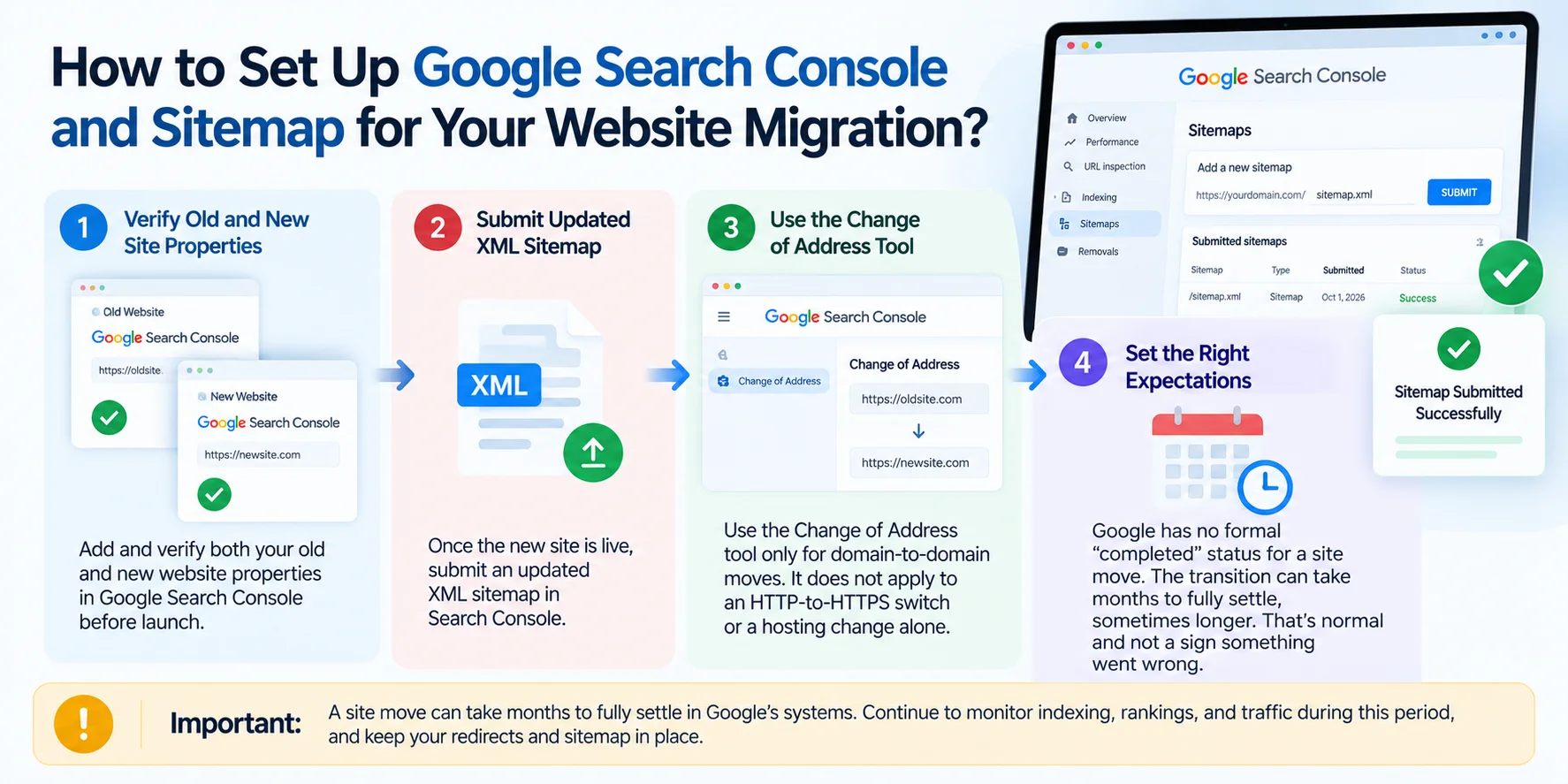
Worth knowing precisely, since a lot of existing migration content predates this: Google updated its site-move documentation on June 17, 2026, to require a Change of Address submission for every subdomain variant of a domain during a migration — www, non-www, and any other subdomains — even ones that aren’t actively used. A domain migration is no longer just the primary domain and a redirect map; every variant needs its own submission in Search Console, which means auditing which subdomain properties are even registered there before you begin. This is recent enough that several long-established migration checklists, including some from well-known SEO tools, haven’t been updated to reflect it.
How to Set Up Search Console and Sitemap?
Key takeaways
- Crawl and document existing URLs, rankings, and traffic before migration.
- Create one-to-one 301 or 308 redirects for valuable old URLs.
- Never redirect every old URL to the homepage.
- Verify old and new properties in Google Search Console.
- Submit the new XML sitemap after launch.
- Check every subdomain variant during a domain migration.
- Preserve Physician, MedicalClinic, and LocalBusiness schema.
- Confirm HIPAA-compliant forms and BAA-covered vendors carry over correctly.
- Keep Google Business Profile and NAP information consistent.
Is Your Server and Hosting Ready?
Are There Healthcare-Specific Steps?
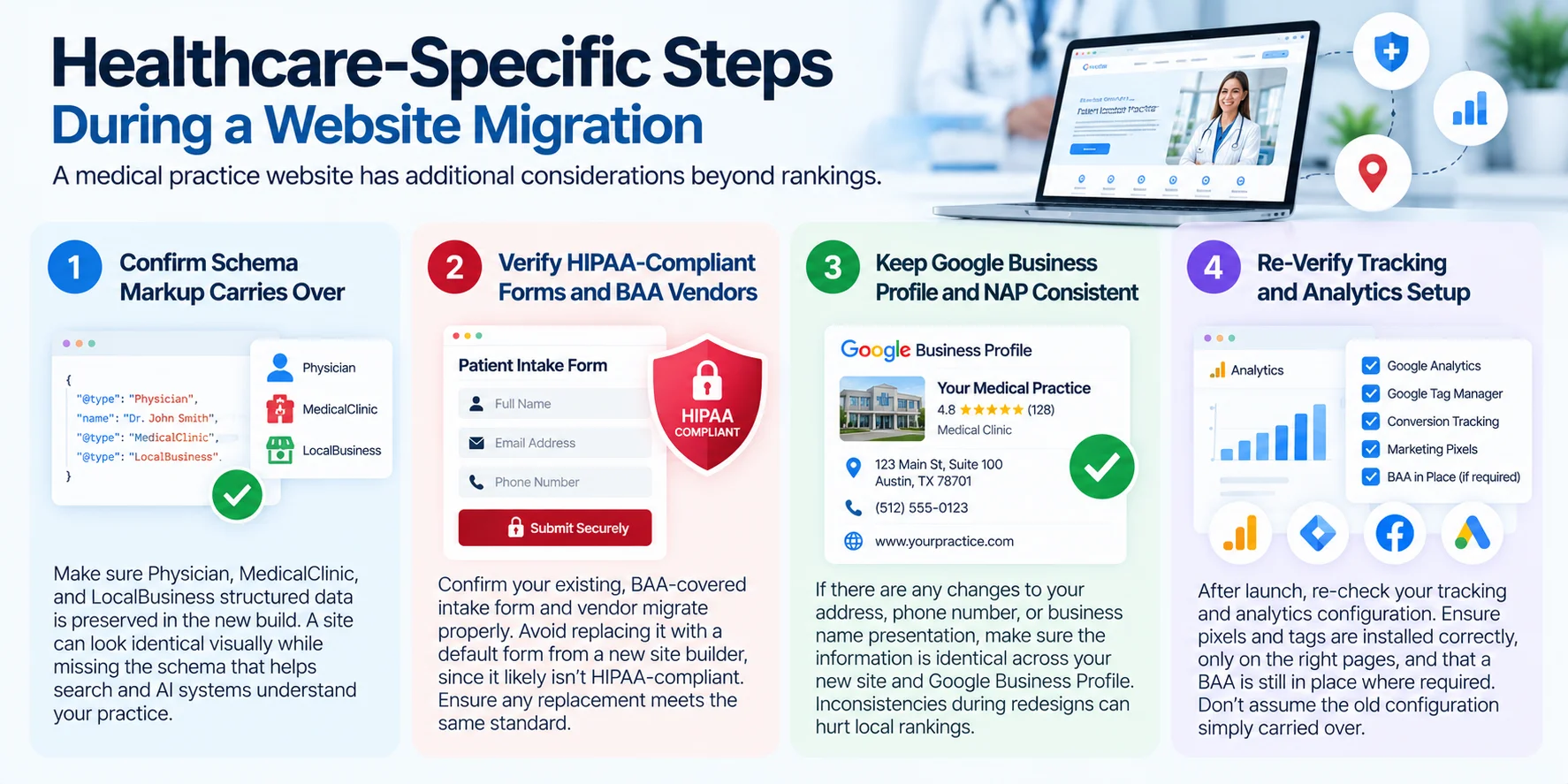
Confirm schema markup carries over correctly. Physician, MedicalClinic, and LocalBusiness structured data, covered in our guides to medical website design and multi-location SEO, is easy to lose silently in a platform switch if the new build doesn’t replicate it deliberately. A new site can look identical to the old one visually while missing the structured data that helped search and AI systems understand it.
Verify your HIPAA-compliant forms and their BAA-backed vendor migrate properly. A rebuild is exactly when a practice’s carefully configured, BAA-covered intake form quietly gets replaced with a new site builder’s default contact form, which almost certainly isn’t compliant. Confirm explicitly that the same vendor and configuration carry over, or that any replacement meets the same standard, covered in full in our guides to what makes a website HIPAA compliant and HIPAA-compliant forms.
Confirm Google Business Profile and NAP consistency don’t drift. If the redesign coincides with any change to address formatting, phone number, or business name presentation, make sure it’s reflected identically across the new site and your Business Profile. Inconsistency introduced during a redesign is one of the more common, avoidable local-ranking mistakes, covered in our Google Business Profile guide.
Re-verify tracking and analytics configuration after launch. A rebuild is exactly when a tracking pixel gets reinstalled without the same care it originally received, on a page it shouldn’t be on, or without confirming a BAA is still in place. Re-check this against the same standards in our HIPAA-Compliant-Website guide, don’t assume the old configuration simply carried over.
What to Monitor Post-Launch?
Common Mistakes
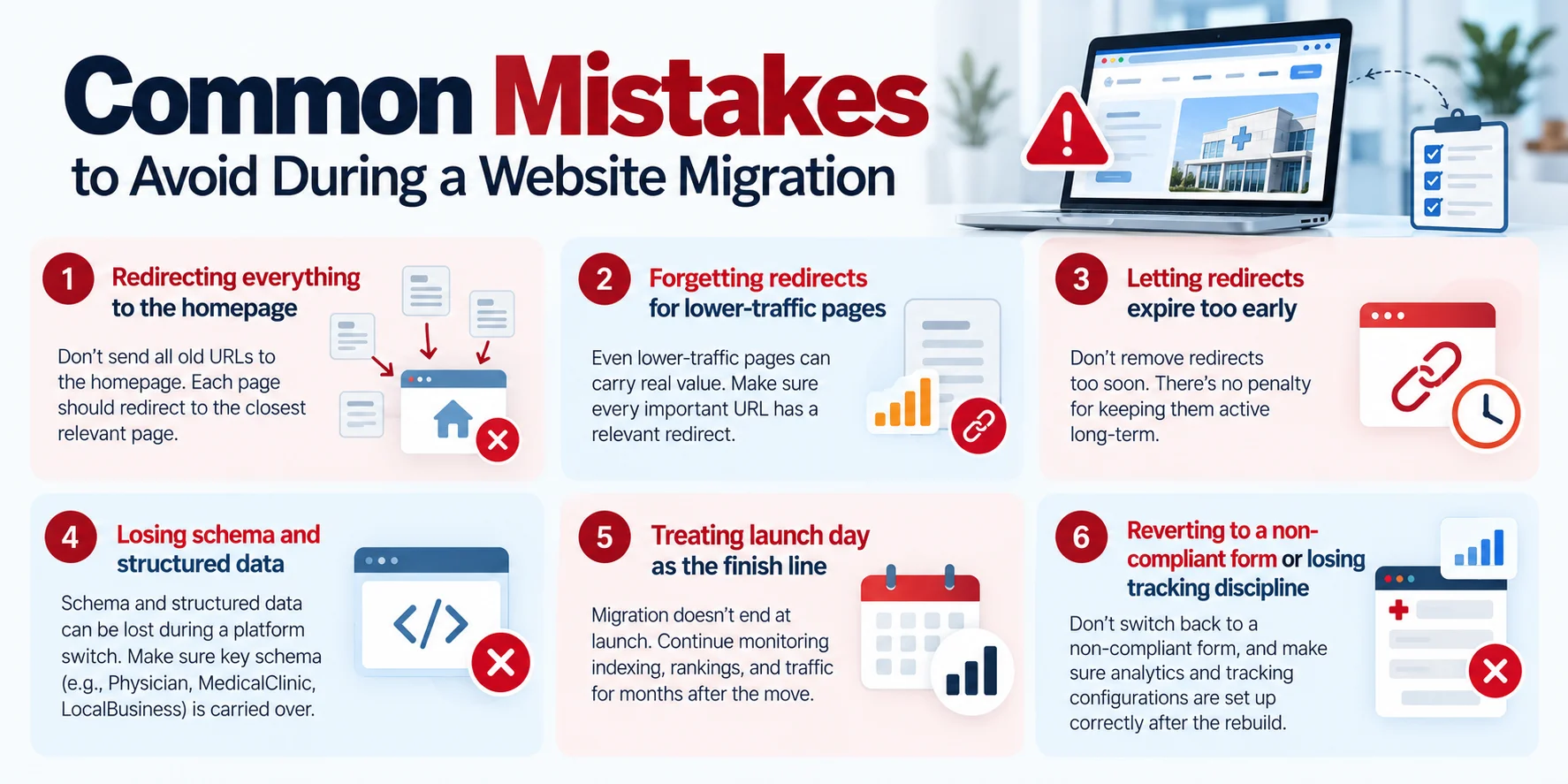
- Redirecting everything to the homepage instead of the closest relevant page
- Forgetting redirects for lower-traffic pages that still carry real value
- Letting redirects expire too early; there’s no penalty for leaving them active long-term
- Losing schema and structured data silently in a platform switch
- Treating launch day as the finish line rather than the start of a multi-month monitoring window
- Reverting to a non-compliant default form or losing tracking-configuration discipline during the rebuild
Where to Start
Our technical SEO and website design teams handle migrations for medical practices specifically, with both sides of this checklist built into the process from day one.
A website redesign for a medical practice carries multiple risks including , the technical SEO risk of losing rankings, the compliance risk of overlooking HIPAA-safe forms, loosing tracking, as well as loss of local listings in the process. When done right, a redesign becomes an opportunity to strengthen your site’s foundation.
Want a second set of eyes on your migration plan before launch? Sinopia’s free SEO audit covers the technical checklist and the healthcare-specific risks together. No cost, no obligation. Request your free audit.